
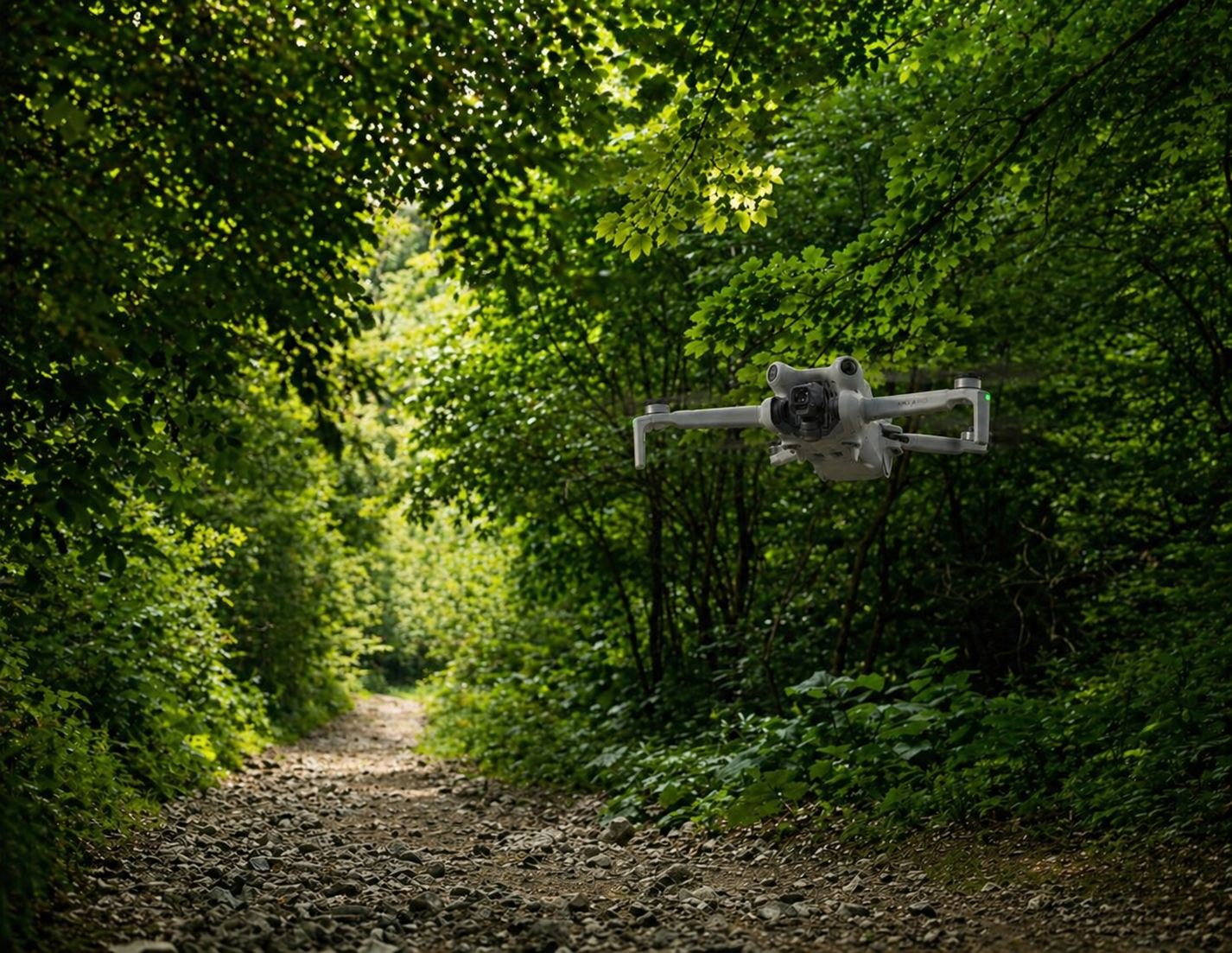
The Short Version
 You might wonder why I’m doing a DJI Mini 3 Review even though we’re in 2026 now and there are many newer models on the market. Well, if I’m honest, even the Mini 2 would still be fine for me in most recreational situations, if I just conveniently ignore that this model has been discontinued.
I say that upfront because it’s the most honest framing for this review. If you’re flying a capable drone and enjoying it, you don’t always need the latest model, or any newer model. For me, the DJI Mini 3 exists in that exact spirit. It’s not trying to be the most advanced drone on the market, it’s not even close anymore. But, it doesn’t need to be. When we’re looking at prices from $299 to $379 (depending on the configuration you choose) and we realize that it gives us pilots a 1/1.3-inch sensor, 4K HDR video, true vertical shooting, and 38 minutes of flight time, and all of that in a light 249g package that’s a lot of value for money. I’ll even go so far as to say that. for a lot of people, that’s enough. It’s definitely miles better than the Phantoms are and I still fly those from time to time.
Maybe this is just me but I think the question worth asking before you buy any drone isn’t “what’s the best one available?”, it’s “what do I actually need?”
Would you buy a Ferrari when you can really only afford a Toyota? Would you buy a semi-truck if all you would use it for is to get groceries? Of course you wouldn’t. And with that in mind, the Mini 3 is still a good answer for a lot of people. It’s definitely better than the spec sheets would suggest at first glance compared to newer models.
What You’re Getting
The Mini 3 shares its 1/1.3-inch CMOS sensor with the more expensive Mini 3 Pro and even the Mini 4 Pro. This tells you something about how good DJI thinks this sensor is. In the Mini 3 the sensor captures 4K HDR video at up to 30fps and to do this it uses a wide f/1.7 aperture that handles itself well in mixed light conditions. For photos it shoots 12MP images using a quad-bayer arrangement which delivers really clean images with good color and detail, especially in daylight conditions.
There is a caveat though: the Mini 3 does not have the 10-bit D-Log M color profile that DJI gave the Mini 4 Pro and this does limit your color grading options in post-production. But then, a lot of people don’t even know what a 10-bit D-Log M color profile is. And of those that do, there are still plenty who don’t even want to do any color grading anyway. A lot of people just want a drone that gives them good quality video that they can share as is. So for casual flyers and if you are looking to create social media content without spending all your time in post, this really won’t matter at all. Now if you’re serious about your post-production work that’s another story entirely. You may want to look at the Mini 4 Pro or the Mini 5 Pro instead. But then, you probably wouldn’t be looking at the Mini 3 to begin with.
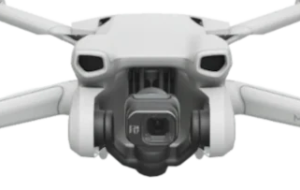 The gimbal on the Mini 3 rotates 90 degrees which allows for true vertical shooting, aka portrait-orientation video. This is great for Instagram Reels, TikTok, and YouTube Shorts as you can use the footage without having to crop it. When I first heard about it I thought it was just a gimmick but no, it’s not. It allows the full sensor to be used to its full ability and the results definitely reflect that. And to think that up until recently that was a feature that was only reserved for much more expensive drones before DJI made it available to everybody with the Mini 3.
So on to the next question, What about shooting at dusk and dawn?
Low-light performance is surprisingly good for a drone at this price. The dual ISO technology helps, as does the 1.7 aperture, and the results are noticeably better when you compare them to older Mini models. That said, don’t expect to go and shoot light saber battles in the dark while expecting good quality video. We have to stay realistic and the Mini 3 just isn’t made for that. In dark conditions it’ll create quite a bit noise. But in the kind of low light that most people actually shoot (golden hour, overcast days, in shaded areas) the mighty little Mini 3 handles itself surprisingly well.
Flying It
As is to be expected, if you have any experience with DJI drones, flying the Mini 3 is straightforward. DJI positioned this as an entry-level drone and it shows in how approachable it is. It is easy to get in the air, GPS stabilisation keeps the Mini 3 steady, Return to Home works reliably, and the QuickShots automated flight modes (Dronie, Circle, Helix, Rocket, Boomerang and Asteroid) give you cinematic looking footage without advanced piloting skills. You just click and the Mini does the rest for you.
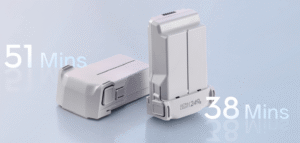
Which brings us to another important thing, flight time. This is where the Mini 3 truly shines and I think this is a point that often gets overlooked in comparisons. The standard battery gives you up to 38 minutes of flight time. That’s even more than much newer Mini 4 Pro’s 34-minute rating or even the Mini 5 Pro which gets 36 minutes. It’s incredible we get this at a fraction of the price of these newer models. However, please keep in mind that battery life is always measured under ideal circumstances so we know it’ll be different in real life usage. For the Mini 3 expect around 30 minutes, depending on wind and how hard you’re flying. That said, and given that this is not a race drone, there’s no need to push it to its max. And if you just fly comfortably you can easily go up to 33-34 minutes. If that’s not enough for you then you can also get the Intelligent Flight Battery Plus which extends the flight time to around 51 minutes (again, under perfect circumstances). But keep in mind that, as with all the Mini series, using this battery pushes the total weight of the Mini 3 above 249g and that changes your regulatory situation so check that if you want to stay on the safe side of flying legally.
What can you do with that extra flight time? Theoretically you can fly up to 10km / 6.2 miles with the Mini 3 but realistically it’ll likely be less. Environmental factors (trees, buildings, etc) affect the range and if you’re in Europe, regulations affect the range as well (6 km / 3.7 miles). The transmission system that DJI uses for the DJI Mini 3 is the same system used in older DJI drones and it has proven its reliability. It works very well, even though it’s a step behind the newer system that DJI put into the Mini 4 Pro. That said, for recreational flying where you’re mostly keeping the drone in visual line of sight anyway, this makes no practical difference. You most likely won’t even notice the difference if you fly them side by side unless you’re actually focusing on finding the difference.
The No Obstacle Avoidance Question
This is the main thing people mention when they compare the Mini 3 to pricier alternatives and it’s a fair point. So let’s address this now.
The Mini 3 has no obstacle avoidance sensors. Zero. Zilch. None in front, none behind, none on the sides and none on the top. There’s a basic downward sensor for landing, and that’s it. If you fly it into a tree, the Mini 3 is going to hit that tree.
And I’ll tell you honestly, obstacle avoidance is amazing and can be really useful. It gives you that extra feeling of being protected when you fly. But, it’s also something you don’t really need at all if you pay attention to what you’re doing.
I flew a Mini 2, which also doesn’t have obstacle avoidance, for years without incident. And before that I flew Phantoms and other drones, none of which had obstacle avoidance. If you fly mostly in open areas, keep your drone in sight, and pay a bit of attention to what you’re doing then the absence of obstacle avoidance becomes a non-issue. It’s a bit like having Bluetooth on my washing machine. It’s convenient to have but it’s not something that is necessary to do laundry.
Can obstacle avoidance make a difference? Of course it can. if you plan to use ActiveTrack-style tracking to follow a person or object into environments with trees and/or other obstacles (or if you want to fly in tighter spaces while paying less attention to the controller) then yes, it is definitely helpful. And if that’s the use case for you then you’ll probably want to look at the Mini 4 Pro or another model with obstacle avoidance instead, even though it comes at a completely different price point. But for open-sky flying, travel shots, landscape photography, content creation, and general recreational use, the Mini 3’s limitation here is largely theoretical.
What about the Controller?
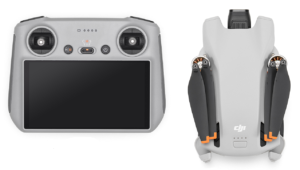 This is something that I think isn’t spoken about enough, and it is something that’s worth considering before you buy.
The base version uses the RC-N1 controller, which requires you to mount your phone to see the live feed. It’s simple and it works, but in bright sunlight your phone screen (especially if your phone is a bit older) becomes hard to see. Aside from that your phone is working hard which can cause it to overheat, especially on hot, sunny days.
The DJI RC controller on the other hand adds a built-in 5.5-inch HD screen with the DJI Fly app pre-installed. You don’t need your phone to fly the drone, can see the screen even in direct sunlight and it’s faster to set up. If you plan to fly regularly, I think it’s worth the extra cost as I think the experience is noticeably better. The Fly More Combo with the DJI RC, which includes three batteries, a charging hub and a shoulder bag, currently sits around $499 at the time of writing (check here for the current price) and probably represents the best overall value in the lineup.
That said, in a way it’s like obstacle avoidance. It’s great to have but if it is out of your budget you don’t need it to have fun flying.
Where does the Mini 3 sit in the Lineup?
The Mini 3’s position in 2026 is this: it’s the drone for people who want a real camera on a real drone without spending real money on features they don’t need.
The Mini 4 Pro is going to set you back a lot more, also depending on the configuration you pick. And let’s not even talk about the price difference with the Mini 5 Pro. Yes, you get omnidirectional obstacle avoidance, 4K/60fps, 10-bit D-Log M, and ActiveTrack 360° and you get even more in the Mini 5 Pro. And all of those things are definitely meaningful upgrades, but only if you’ll actually use them. If you fly in open spaces, shoot primarily in daylight, and aren’t planning to do professional color grading, the advantages will largely be invisible in your footage.
So that answers the question, the Mini 3 sits at the entry point of the lineup. It still offers (yes, even today) enough to meet most people’s needs. And it does it at a price point that is much lower than the next step up.
How It Compares
| Model | Weight | Video | Flight Time | Obstacle Sensing | Approx. Price |
|---|---|---|---|---|---|
| DJI Mini 3 | 249g / 0.549 lbs | 4K/30fps HDR | 38 min | None | ~$299 |
| DJI Mini 4 Pro | 249g / 0.549 lbs | 4K/60fps HDR | 34 min | Omnidirectional | ~$759 |
| DJI Mini 2 SE | 249g / 0.549 lbs | 2.7K/30fps | 31 min | None | ~$249 |
Prices fluctuate, check the buy links below for current pricing.
The Honest Summary
Buy it if: you’re new to drones and want a good camera without overspending, you fly mainly in open areas where obstacle avoidance isn’t critical and you want the longest battery life in the Mini lineup. Or if you’re upgrading from a Mini 2 SE and are looking for a meaningful step up in image quality, without going all the way to the Mini 4/5 Pro. And finally, if you forgot that you put your Mini 2 on the ground behind your car and backed up. I’m not saying that did or did not happen to me, I’m just saying that could be a reason as well.
Look elsewhere if: you plan to regularly fly near trees or in tighter spaces, you want 4K/60fps or slow-motion footage, you need proper color grading flexibility in post, or you’re a more experienced pilot who will genuinely use the advanced features the newer models offer.
Most people buying their first serious drone will not notice what the Mini 3 is missing but they will definitely notice what it delivers. And what it delivers is very impressive for its price, regardless of whether you’re a content creator or a recreational pilot.
Specs
| Weight | 249g / 0.549 lbs (standard battery) |
| Camera sensor | 1/1.3-inch CMOS, dual native ISO |
| Photos | 12MP JPEG (quad-bayer sensor) |
| Video | 4K/30fps HDR, 1080p/60fps |
| Flight time | 38 min (standard) / 51 min (Plus battery — note: over 249g) |
| Range | 10km / 6.2 miles (FCC) — 6 km / 3.7 miles (CE) |
| Obstacle sensing | Downward only (no collision avoidance) |
| Wind resistance | 10.7 m/s / 23.9 mph (Level 5) |
| Transmission | DJI O2 |
| Storage | microSD |
| Operating temp | -10 to 40°C / 14 to 104°F |
Common Questions
Does the Mini 3 need FAA registration? No, not for recreational flying. At 249g with the standard battery it falls under the threshold. The free TRUST test is still required in the US. Using the Battery Plus pushes it above 249g though and changes everything from a legal point of view.
Does it shoot RAW photos? The Mini 3 shoots JPEG only — unlike the Mini 3 Pro and Mini 4 Pro which shoot DNG RAW stills. If being able to take RAW photo matters to you, step up to a newer model like the Mini 4 Pro or the Mini 5 Pro.
Is the Mini 3 worth it over the Mini 2 SE? Yes, absolutely. The Mini 3’s 1/1.3-inch sensor and 4K HDR video are a meaningful step up from the Mini 2 SE’s 2.7K footage, and the true vertical shooting is great for social media content.
Mini 3, Mini 4 Pro or Mini 5 Pro? If budget is tight, the Mini 3 is the smarter buy for most casual flyers. If you have the extra budget and will genuinely use the obstacle avoidance and 4K/60fps, or any of the other new features, the Mini 4 Pro is worth getting and you might want to consider the Mini 5 Pro as well if that’s available to you. But don’t pay for features you’ll never use.
Where to Buy
- Amazon — check current price
Disclosure: Links above are affiliate links. If you buy through them I earn a small commission at no extra cost to you. It doesn’t affect what I recommend.
Rating
| Image quality | 8/10 |
| Flight time | 9/10 |
| Ease of use | 9/10 |
| Value | 9/10 |
| Overall | 8.5/10 |
Related Reading
First published: April 2026.

Leave a Reply